2. Platform objects and boundaries
Full-length chapter. Content is checked against the 2026.10 mainline code and the live console; menus and features depend on the current license, account permissions, and delivered environment.
Back to overview · Full table of contents · Download full PDF
This chapter is for tenant administrators, Security Admins, and platform administrators. It explains the kinds of configuration objects on the platform, how they relate, and which objects a call passes through; it also explains what the tenant Admin Console and the platform Admin Console each own, how tenants are isolated, and how licensed modules decide which features are available. After this chapter, an administrator can tell which menu a need belongs in, who is responsible, which calls it will affect, and why a menu is missing.
2.1 Object relationships
Platform objects are easiest to follow along the path of one call:
Upstream vendor / local inference service
   │  Request URL + account key (hosted by the platform)
   ▼
Model provider ──enable──▶ Upstream (a concrete model on the vendor side)
   │
   ▼  One or more upstreams serve one model (call name)
Model ──join──▶ Model group ──set──▶ Availability scope (all users / departments / functional groups / members / workspaces), quotas
   │
   ▼  Members in scope create on the model plaza
API key (bound to one model group, attached to one client)
   │
   ▼  Call through the unified entry with the key
Gateway: authenticate → traffic rules (route, deny, limits, content detection) → dispatch among the model's upstreams
   │
   ▼
Request record (initiator, credential, model, tokens, latency, matched rules)
Capability objects such as MCP services take the same gateway path: callers use their own access credentials; the gateway authenticates, applies traffic rules, and records the call. The only difference is that the upstream is a tool service, not a model.
Relationships to remember:
- One API key binds to one model group. Which models the key can call is decided by the models in that group; whether it can call is decided by whether the holder is still in the group's availability scope. So "authorization" is two actions: put the model in the group, put the person in the group's availability scope.
- The group only owns authorization and quota; it does not choose the destination. Which of a model's upstreams a call goes to is decided by traffic rules. When no rule takes over, the call is dispatched among all enabled upstreams of that model.
- Upstream credentials exist only on the model provider. Callers hold platform-issued API keys. On forward, the gateway swaps in the hosted upstream credential. Callers never touch upstream keys.
- Traffic rules act on calls; they do not belong to a model or group. Rules match requests that pass through the gateway by conditions (caller, specific capability, call type, MCP method, tool name, and so on) and are evaluated in order. A rule writes conditions and actions; it does not change the object's own configuration.
- Roles and availability scope solve two different problems. A role decides which admin pages a person can enter; availability scope decides which model groups and tools a person or department can use. They can stack; they cannot replace each other.
2.2 Model-access objects
| Object | What it is | Entry | Configuration notes |
|---|---|---|---|
| Model provider | How the platform connects to one upstream source; stores request URL, request format, and account keys | Admin Console › Models › Model Providers | Pass a connection test before it is referenced; one provider can hold multiple accounts |
| Upstream | A concrete model on the vendor side, with pricing, capabilities, deployment location, and sensitive-data admission | Model provider detail › Models and prices | An enabled upstream must belong to a model |
| Model | The call name callers put in the request, served by one or more upstreams | Admin Console › Models › Models | Call name is unique in the tenant and cannot be changed after create; how a call is dispatched among upstreams is decided by traffic rules |
| Model group | A set of models; the unit of authorization, quotas, target-specific prices, and API keys | Admin Console › Organization & Access › Model Groups | Name by purpose; group order is metering priority |
| Availability scope | The group's authorized subjects and validity | Model group detail › Visibility & quotas | A group with no availability scope cannot be used by anyone |
| API key | Credential to call models; bound to one group and one client | Member: model plaza › Get API key; administrator: Model Groups › API key management | One key per person per application; administrators can search and disable |
| Client | The call source a key is attached to, used to distinguish sources in usage and request records | Choose or create when creating a key | One client can hold multiple keys |
These seven objects are the minimum set for first-run setup. Chapter 4 through Chapter 9 cover them one by one.
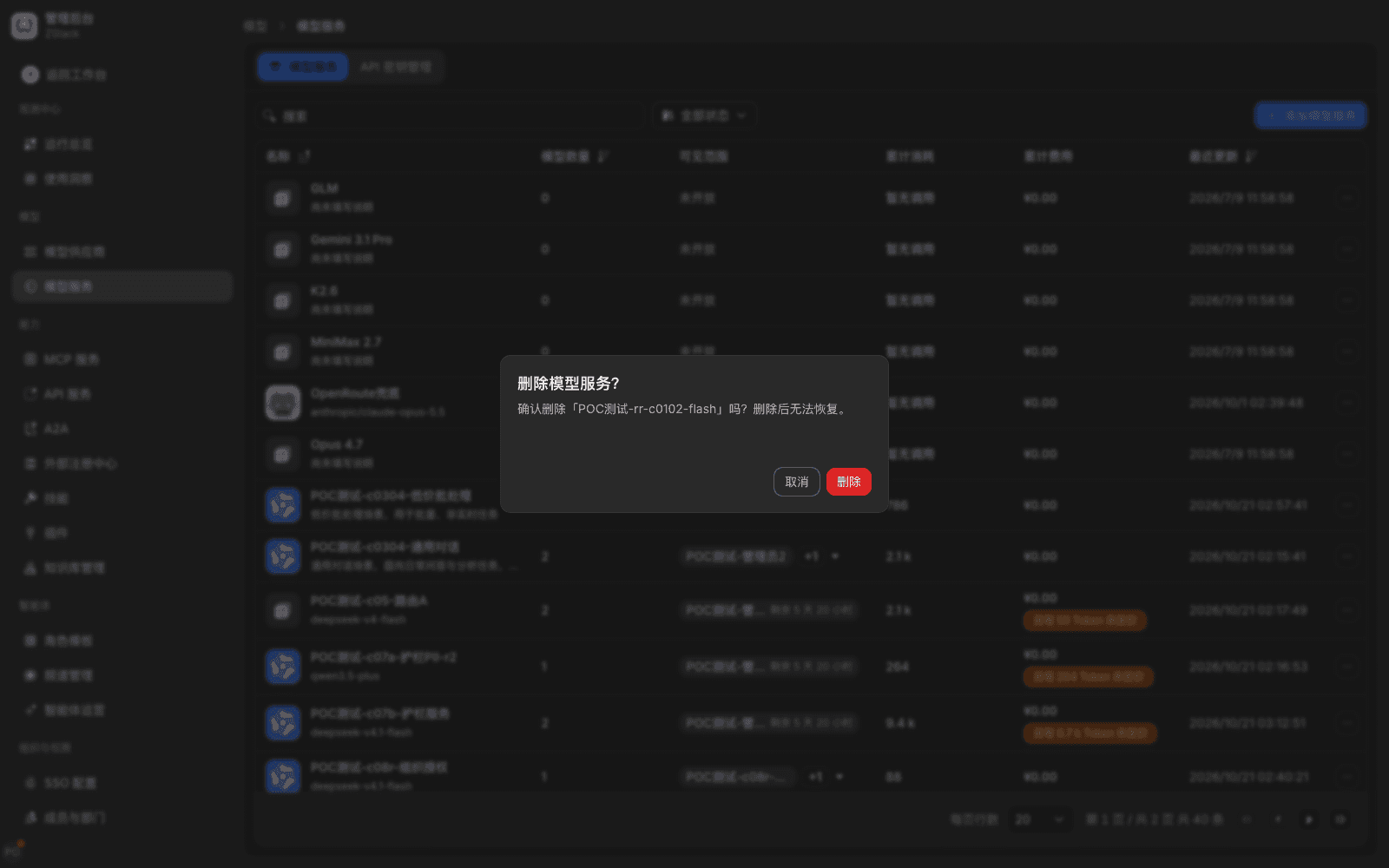
References when you delete: model providers, models, model groups, and traffic rules reference each other. Deleting a model is blocked if it still has enabled upstreams or is still in a group (Section 6.5). Deleting a model group checks references, then asks for confirmation; after confirm it cannot be undone. An upstream referenced by a traffic rule cannot be disabled or deleted until the reference is removed from the rule. Before delete, confirm that no keys still in use hang on it.
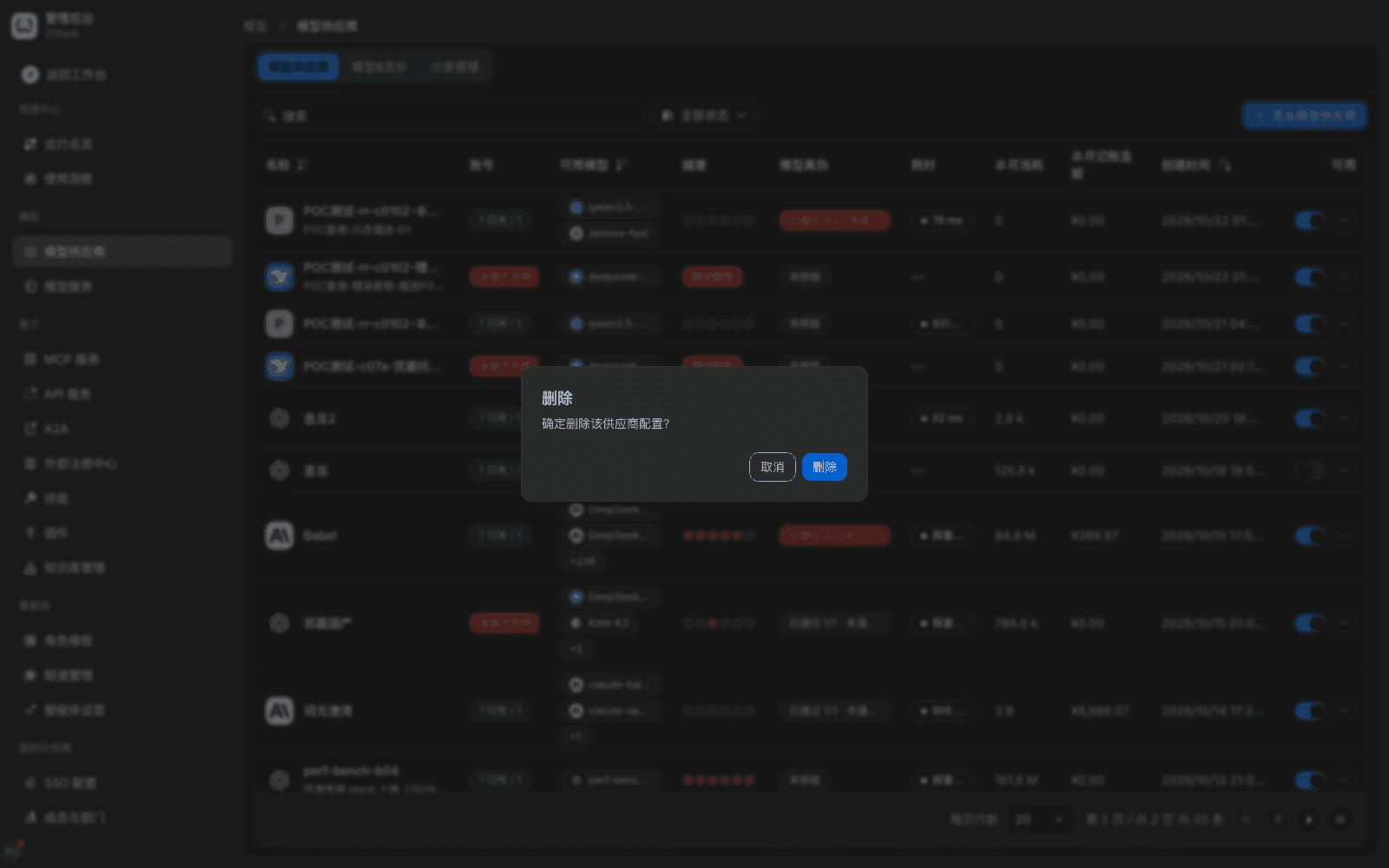
Note: the delete confirmation does not always list every reference (for example a group's availability scope and bound API keys). Before delete, check the Models and Model Groups lists to confirm that the provider's upstreams' models are still unused, so you do not make related models unusable. Delete cannot be undone.
2.3 Capability-access objects
Alongside the model objects in the Admin Console are capability-access objects. They connect resources other than models (tools, APIs) into the platform and grant them to members. Taking an MCP service as the example, an MCP service at least includes:
| Part | What it is | Where it is maintained |
|---|---|---|
| Tool list | Tools declared by the upstream MCP service, from an OpenAPI import or a direct connection | MCP service detail |
| Available scope | Which members, departments, or functional groups can see and connect this service | MCP service detail |
| Connection credential | The token a member uses after they get the connection config | Member-side Get connection config |
| Call activity | Initiator, tool name, result, and failure reason of each tool call | MCP service detail › Call activity |
| Tool-level permissions | Who can call which tools inside the same service, expressed as traffic rules | Admin Console › Traffic › Traffic rules |
Tool-level permission is the point most often confused with roles: Role Management only controls admin menus. MCP tool call permissions are configured in Traffic rules by "specific capability + caller + tool name", not by ticking boxes on a role. Choose the action Deny this call to narrow permission, for example allow a member to call query tools and deny write tools.
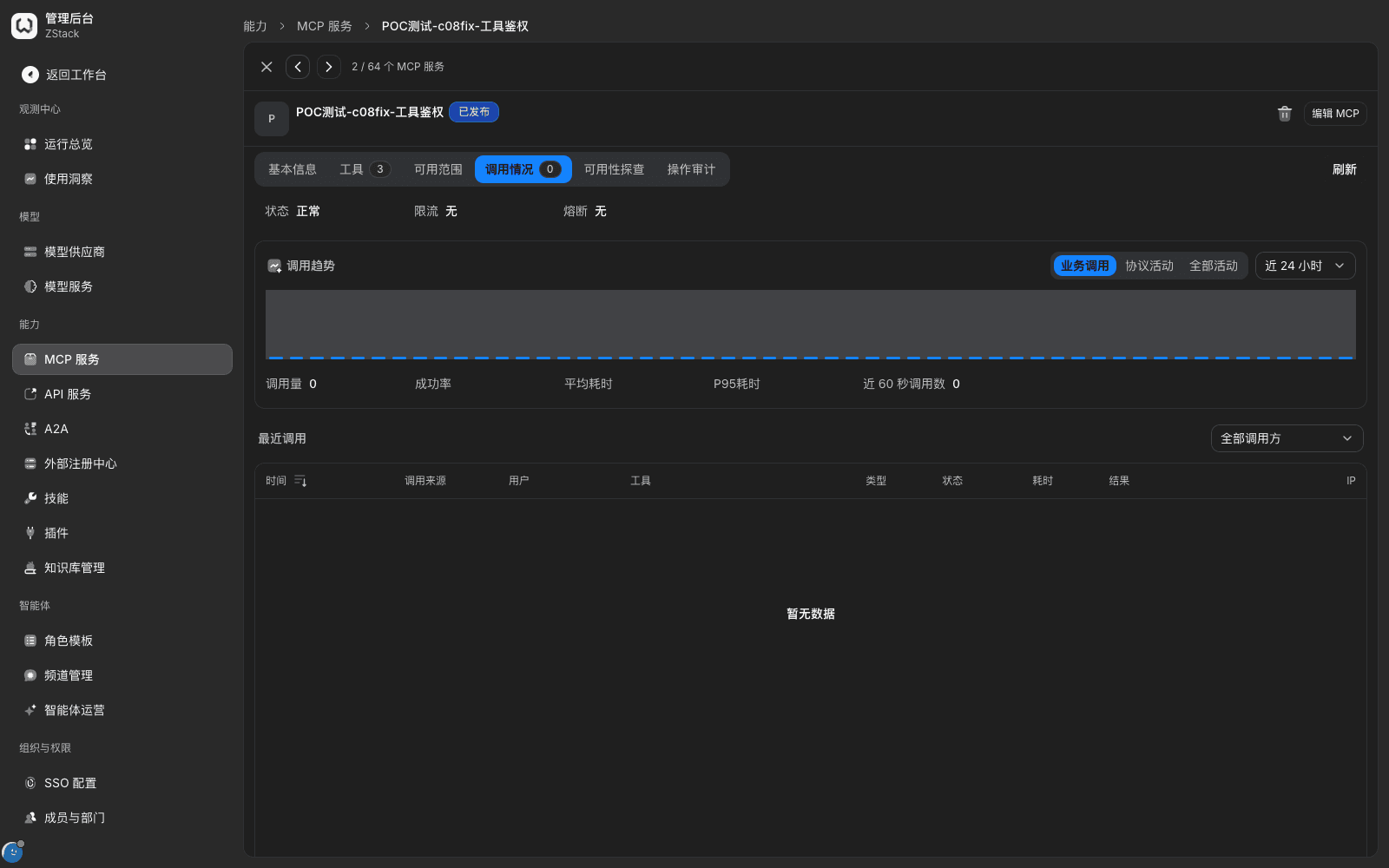
What you will see: tool calls denied by a rule appear in Call activity as failed, with a reason code (for example a custom reason identifier), not a generic "unclassified". That distinguishes "rule denied" from "the tool itself errored".
Note: available scope decides "can they connect to this service"; traffic rules decide "which tools can they call after they connect". When both are configured, the services a member sees do not change, but denied tools return a denial result and reason.
Other capability types (API services, external agents, skills, plugins, and so on) have the same object shape as MCP services: one access object, one available scope, one set of credentials, one call record. Configuration entries are in the matching Admin Console menus. Concrete fields follow the current UI; see Chapter 11 and Chapter 12.
2.4 Traffic and security objects
| Object | What it is | Entry |
|---|---|---|
| Traffic rules | Match requests by condition and run actions: route to a chosen target, deny this call, limits, content detection, and so on | Admin Console › Traffic › Traffic rules |
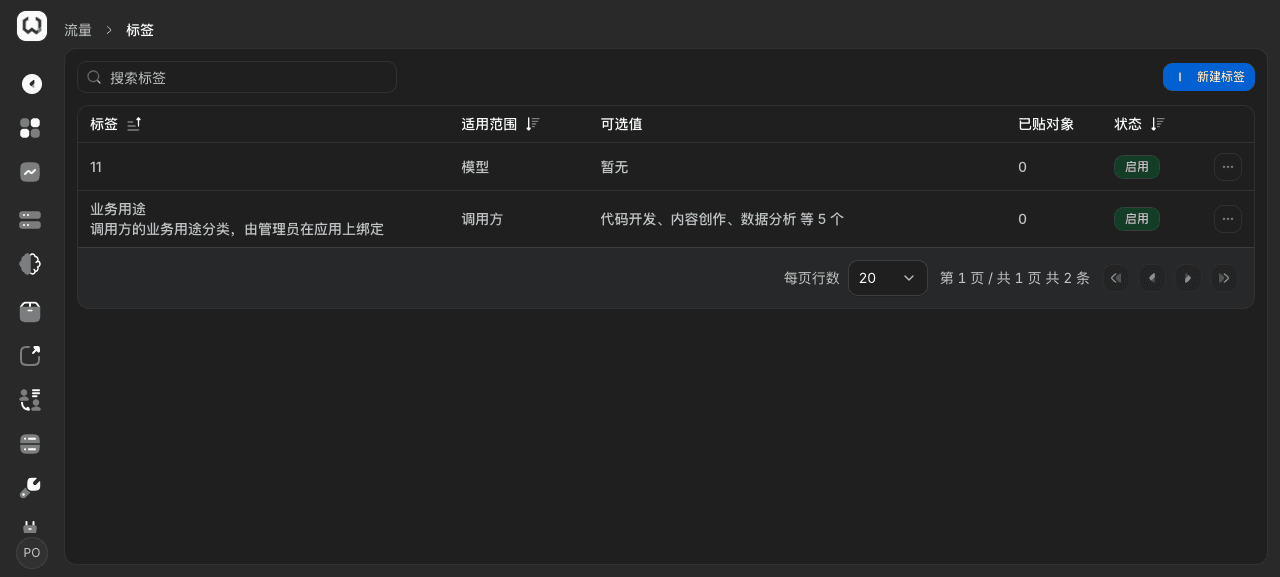
| Tags | Business classification stuck on a caller or a model, used for rule matching and statistics | Admin Console › Traffic › Tags |
| Rule preview (Confirm changes) | Change preview and hit order shown before a rule is saved | Traffic rule editor › Confirm changes |
| Guardrail rules | The detection basis for content detection and sensitive-data recognition, referenced by detection actions in traffic rules | Admin Console › Guardrails › Guardrail rules |
| Malicious feeds | This tenant's malicious domain and IP lists, referenced by malicious-source checks in traffic rules; they have no effect until the check is turned on | Admin Console › Guardrails › Guardrail rules › Threat intelligence |
| Approval Center | Approval tickets for key requests and important configuration changes | Admin Console › Guardrails › Approval Center |
Tag scope today is only Caller and Model: a tag can sit on a caller or on a model, so rules can match by tag and usage can be rolled up by tag.
Preview before you save a rule: saving a traffic rule opens Confirm changes, showing field diffs and hit order. In the preview, confirm that callers show as concrete people and that the rule name keeps its original value, then confirm. Hit order decides the actual effect: earlier rules match first; after a rule that Stop matching hits, later rules are not evaluated.
Note
- A rule references an object's current name and identifier. After you rename an object, come back and check whether existing rule conditions need to be reselected.
- A guardrail rule is only a detection basis. It has no effect until a traffic-rule action references it. The execution point is the action on the traffic rule.
2.5 Organization and runtime objects
| Object | What it is | Entry |
|---|---|---|
| Tenant | An independent organization, configuration, data, and permission scope | Platform Admin Console › Tenants |
| Department | Formal org structure; can be an authorization subject as a whole | Admin Console › Organization & Access › Members & Departments |
| Member | A sign-in account; source is local or external | Same |
| Functional group | A cross-department set of members, used for cross-department authorization | Admin Console › Organization & Access › Functional Groups |
| Role | Six fixed governance roles that decide which admin pages you can enter | Admin Console › Organization & Access › Role Management |
| Identity source | SSO sources: DingTalk, Feishu, WeCom, enterprise IAM, LDAP, directory push | Admin Console › Organization & Access › SSO configuration |
| Request record | Initiator, credential, model, usage, latency, and matched rules of each gateway call | Admin Console › Operations overview › Requests |
| Operation Audit | Who changed configuration, ran an action, or signed in, and when | Admin Console › Audit & compliance › Operation Audit |
| Runtime status | Probe timelines for dependency components | /platform-status |
Build organization objects before capability objects. Once the org is ready, capabilities can be granted by department or functional group as a whole. When people move, you only change org relationships, not capability configuration.
When configuration takes effect (this affects "why I don't see the change immediately"):
| Item | How it takes effect |
|---|---|
| Save of models, model groups, availability scope, traffic rules | The control plane pushes to gateway nodes after save; usually takes effect within tens of seconds; no restart |
| New API key | Can be used immediately after create |
| Remove from availability scope, department, or functional group | Member-side view changes at once; calls with existing keys for that resource are denied after the config is pushed |
| Disable account, reset password | That account's sign-in sessions and API keys become invalid immediately |
| Grant or remove a role | Immediate; pages they can access are withdrawn without signing in again |
2.6 Tenant and platform boundaries
The Admin Console has two levels. The signed-in account's admin scope decides which level you enter; the two levels show different menus.
| Tenant Admin Console | Platform Admin Console | |
|---|---|---|
| Who uses it | Tenant administrators and this tenant's admin roles | Platform administrators |
| What it manages | This tenant's organization, models, capabilities, traffic, guardrails, audit, and system settings | The whole deployment: tenants, gateway nodes and ingress, System Updates, Backup & Restore, Deployment configuration, platform accounts |
| Blast radius | This tenant only | All tenants |
The tenant–platform boundary is hard; it is not implemented by hiding menus:
- A tenant administrator who opens a platform page from the address bar is sent back to Operations overview.
- A tenant administrator calling a platform API gets
403PERMISSION_DENIED. - Platform-scope configuration (for example Deployment configuration, updater status) is visible only in the platform Admin Console. The tenant side cannot see it or change it.
What you will see: when a tenant administrator opens a platform page, the page jumps back to Operations overview › Overview after a few seconds, and the sidebar has no platform group. That is a complete denial, not a load failure.
Note: platform-scope Deployment configuration depends on the updater component. If the updater was not installed at deploy time, that page is unavailable and the API returns 503 (updater_unavailable). That is platform-administrator maintenance; see Chapter 23.
Tenant isolation
- Tenant is decided from the credential: the gateway determines the tenant from the API key. It does not trust tenant or user-identity headers the client carries. Forging those headers does not change the tenant and initiator the platform decides.
- Data and configuration are mutually invisible: members, models, model groups, API keys, rules, usage, and request records of one tenant are not visible to another. A key from one tenant cannot call another tenant's models.
- Licenses take effect per tenant: each tenant's tenant administrator imports the license under Global settings › License. It affects only the current tenant. The platform console does not manage licenses.
- Gateway nodes are shared: gateway nodes in the same deployment receive the same configuration and share one ingress. The product does not pin certain tenants to a subset of gateway nodes.
When to use: a group opens a tenant for each subordinate unit; each unit maintains its own organization and model configuration; operations stay unified at the platform layer. Opening a second tenant is done by a platform administrator in the platform Admin Console. The tenant-side UI is the same as this chapter.
2.7 Licensed modules
Features split into base features and add-on modules. If the license does not include an add-on module, the matching menu is hidden and related APIs refuse access.
| License state | License tab shows | Effect |
|---|---|---|
| No license imported | License source shows community edition (no license imported) | Runs with community-edition capabilities |
| License imported | Shows license source, validity, and enabled modules | Opens menus and APIs for modules included in the license |
View the current license: open Admin Console › System Settings › Global settings › License. Besides license status, the page gives a three-step offline activation:
- Export an authorization request (
.json). - Send the request file to the vendor and receive a signed license file.
- Import the
.licfile to activate.
These three steps are offline: export and import both happen locally. Activation does not send deployment information back to the vendor, which fits air-gapped environments.
Note
- A license is bound to a deployment. The exported authorization request contains that deployment's binding information, so development, test, and production each need their own license file; they cannot import each other's.
- A license is independent of CPU architecture and operating system. Moving the host does not affect license validity.
- If a menu is missing, first check the account's admin scope and role, then licensed modules (see 1.2 "Menu visibility").
Capability notes
| Not provided | Use instead |
|---|---|
| Split dev, test, and production inside one deployment, with isolated configuration and sync between environments | Deploy one instance per environment, each with its own license and configuration. Tags are for classification, not environment isolation (2.4) |
| Environment-dimension tags or objects | Tag scope is only Caller and Model. Distinguish by existing dimensions such as business line or purpose (2.4) |
| Automatically list every referenced object and affected key count before delete | Check by hand before delete: confirm in the Models and Model Groups lists whether the provider's upstreams are in use, check traffic-rule references, then delete (2.2) |
| Tenant administrators self-provision tenants or view or change other tenants | Tenant provisioning and platform-level configuration are done by platform administrators in the platform Admin Console (2.6) |
| Pin a given tenant or route to a subset of gateway nodes | All nodes share one configuration and one ingress; use traffic rules for business split (2.6, Chapter 15) |
| Online license activation | Use the three-step offline flow: export request, obtain a signed license, import .lic (2.7) |
Previous: 1. Zentrix overview and first-run setup · Next: 3. Organization and permissions
1. Zentrix overview and first-run setup
Full-length chapter. Content is checked against the 2026.10 mainline code and the live console; menus and features depend on the current license, account permissions, and delivered environment.
3. Organization and permissions
Full-length chapter. Content is checked against the 2026.10 mainline code and the live console; menus and features depend on the current license, account permissions, and delivered environment.