26. Go-live checks, stable operation, and management handover
Full-length chapter. Content is checked against the 2026.10 mainline code and the live console; menus and features depend on the current license, account permissions, and delivered environment.
Back to overview · Full table of contents · Download full PDF
This chapter: a go-live checklist you can walk through as written, what to confirm when a pilot becomes production, which metrics to watch on duty, and which materials and responsibility splits to hand over. The readers are administrators and project owners who are about to move the system from pilot to production.
26.1 Go-live checklist
Before you open the access entry to a wider audience, confirm each row below. Every item has a conclusion on the product console; no extra tools are needed.
| Check | Where to confirm | Pass criterion |
|---|---|---|
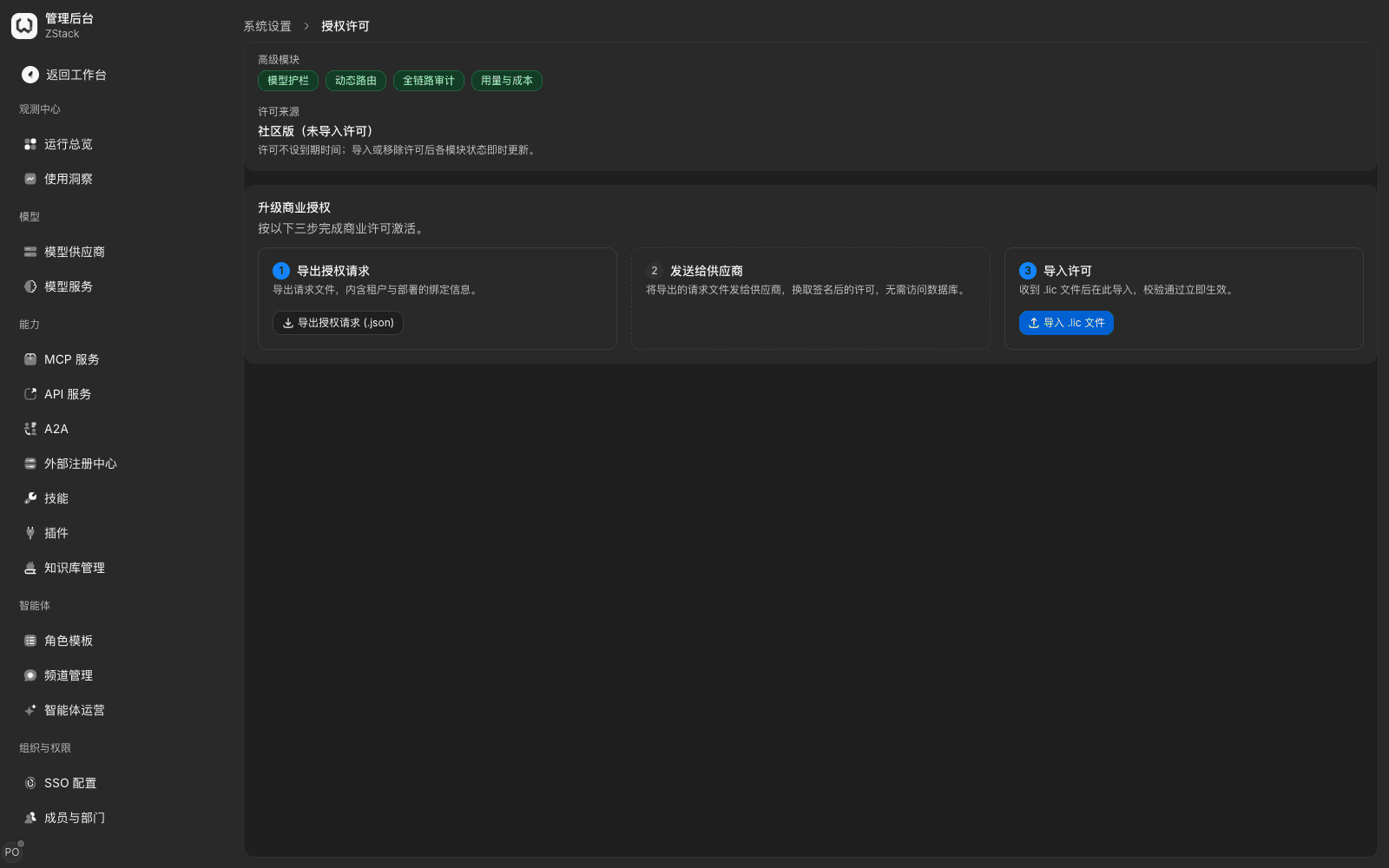
| Licensed modules are complete | Admin Console › System Settings › Global settings › 「License」 tab | Every required module in 「Add-on modules」 is enabled. Community edition has no expiry; the page states the license source |
| Model providers are usable | Admin Console › Model Providers | Key providers show healthy in the 「Health」 column, and 「Availability probes」 have recent successes |
| Model groups are published | Admin Console › Organization & Access › Model Groups | Groups facing the pilot are published, and 「Usage」 has recent successful calls |
| Available scope is correct | Model-group detail › Visibility & quotas | Pilot members or departments are in the list; accounts outside the scope are confirmed not visible |
| Quotas and budgets are reasonable | Same › Edit quota | The quota is not 0 (0 is a hard wall and blocks every call); the period matches the budget |
| Keys and callers are ready | Admin Console › API key management | Pilot keys are usable, and access configuration has been delivered to the caller |
| Traffic rules are in effect | Admin Console › Traffic rules | Key rules are enabled, 「Confirm and apply」 has completed; the list top has no 「The last configuration publish failed」 prompt |
| Guardrails are enabled as needed | Admin Console › Guardrail rules | Required detection types are configured and bound to traffic rules; capabilities that depend on global models have the corresponding model |
| Request records are queryable | Admin Console › Operations overview › Requests | You can filter pilot calls by access credential; status and latency are normal |
| Audit is usable | Admin Console › Operation audit | There are configuration-change records in the last 24 hours, and integrity verification can be run |
| Alerts and notifications are ready | Admin Console › Alert rules | Key rules are enabled, and notification channels have been verified with a test message |
| Documentation entry is reachable | Account menu › Help | The product documentation site opens normally |
Note: do not widen the audience if any checklist item fails. Fix and retest that item in a small range first, then continue.
26.2 What to watch in stable operation
After you move to production, look on the cadence below. You do not need to watch continuously.
Daily: metric cards and the request list on Operations overview, with delivery success rate and the failure-reason breakdown first. When the success rate drops, look at 「By reason」 first — upstream fault versus caller issue; the handling is entirely different.
Weekly: trends on the usage and cost pages, high-spend credentials in the spend rankings, and Alert-rules trigger records. If a key or a department's spend grows abnormally, confirm first whether it is business growth or a leaked key.
As needed: gateway-node and component status, availability-probe history, and audit integrity verification. Look once before and once after a planned configuration change.
26.3 What to hand over in management handover
At project handover, besides accounts and passwords, you need to hand over 「who owns what」 and 「how to investigate when something goes wrong」. Prepare against the table below.
| Handover item | Contents |
|---|---|
| Accounts and roles | Accounts and owners for the platform administrator, tenant administrator, security administrator, and auditor; temporary accounts have been cleaned up |
| Authorization and license | License source, expiry arrangements, module list |
| Model-access inventory | Providers, account ownership, models, model groups, and the object list for available scope |
| Traffic and security policy | Enabled traffic rules, guardrail rules, and rate-limit thresholds with the reasons |
| Quotas and budgets | Quota settings for each service and department, and the adjustment process |
| Observability and alerts | Alert-rule recipients, notification channels, escalation path |
| Day-to-day operations | Backup method and cadence, upgrade window, change-approval process, rollback means |
| Support channel | Information to provide when submitting support (see Chapter 27) |
Note: hand over 「why it is configured this way」 together with 「enabled policies」. If you hand over only thresholds and not reasons, the next administrator will neither change nor delete them.
26.4 Order of handling when you find an anomaly
- Stop the bleeding first: confirm the blast radius (which services, which callers). If needed, disable the related traffic rule or key; do not rush to restart the service.
- Then locate: in 「Operations overview › Requests」, filter failed requests by time and caller; open the request detail and look at 「Routing & changes › Hit records」 and the error code.
- Then fix: after you locate the concrete object (provider account, rule, quota, certificate), change only that item, then watch one round of real traffic.
- Leave a record: write the time, object, symptom, and handling into the change record, so later tracing and handover are possible.
Capability notes
| Capability not provided | What to do instead |
|---|---|
| Capacity-planning tools, and pre-install kernel-parameter and OS-distro detection | The pre-install disk-space check blocks install when space is insufficient and lists candidate mount points; remaining capacity planning must be estimated from actual traffic. Watch pilot traffic for a period before you decide to scale. Concrete install requirements are in the product install documentation |
| Periodic configuration-inspection reports | Currently only a one-off 「Validate rule」 is provided for rules; there is no periodic inspection or optimization-suggestion report (Chapter 24) |
| One-click export of a runtime-status overview | Walk through 「Operations overview」 page by page, or summarize yourself from call and usage data in Report export (Chapter 22) |
Previous: 25. Phased go-live · Next: 27. Information needed when contacting support
25. Phased go-live
Full-length chapter. Content is checked against the 2026.10 mainline code and the live console; menus and features depend on the current license, account permissions, and delivered environment.
27. Information needed when contacting support
Full-length chapter. Content is checked against the 2026.10 mainline code and the live console; menus and features depend on the current license, account permissions, and delivered environment.